
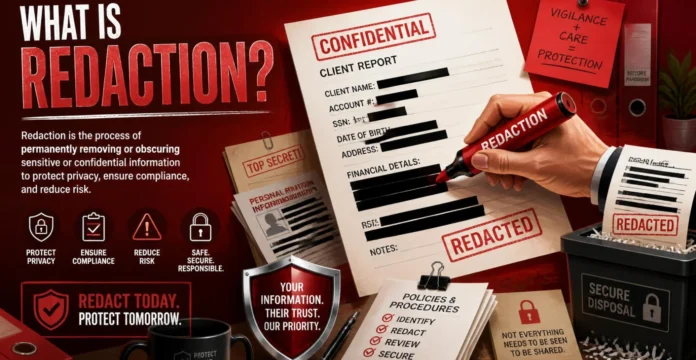
Quick answer: Redaction is the process of permanently removing or obscuring sensitive information from a document before sharing or publishing it. Done properly, it makes the protected data unrecoverable rather than simply hiding it from view. In the United States, the practice is commonly used for court filings, public records, contracts, financial documents, and other files containing confidential information.
Redaction helps people share useful documents without exposing information that should remain private. Instead of withholding an entire file, a person or organization can remove selected names, numbers, images, statements, or other sensitive details while leaving the rest of the document available. This approach is common in legal, government, financial, corporate, healthcare, and everyday personal records.
Digital redaction requires more care than simply placing a black rectangle over a sentence. Information that appears hidden on screen may still exist underneath an overlay, inside searchable text, or within a document’s hidden data. A sound process removes the underlying information and checks the finished file for content that could still reveal what was meant to remain private.
What Does Redaction Mean?
Redaction is the deliberate removal or concealment of information from a document before releasing it to another person or the public. In practical terms, it allows selected information to be permanently withheld while the remaining content stays readable and useful. The familiar black boxes seen in legal filings and government records are only the visible result of that process.
A redacted document may hide a Social Security number, a child’s name, a financial account number, confidential business information, or another protected detail. The objective is generally not to alter the meaning of the entire document but to prevent disclosure of information that should not be shared. A properly prepared copy therefore preserves as much useful information as possible while protecting restricted material.
Why Is Redaction Important?
Documents frequently contain more information than the intended recipient actually needs. A contract may include personal contact details, a financial report may contain account numbers, and a legal filing may identify people whose information should remain private. Removing those details limits unnecessary exposure while allowing the useful parts of the document to be disclosed.
Poor redaction can create privacy, confidentiality, security, contractual, or compliance problems depending on the information involved. A document can appear safe to a casual reader while still containing recoverable text or hidden data. Organizations that routinely handle sensitive information therefore benefit from treating redaction as an information-security process rather than a cosmetic editing task.
What Information Should Be Redacted?
What to remove depends on the document’s purpose, the recipient, and any rules governing disclosure. Personal identifiers are among the most common targets, but organizations may also need to protect confidential pricing, trade secrets, privileged communications, employee records, customer information, or internal business details. The reviewer should understand why the document is being shared before deciding what may remain visible.
Common candidates for redaction include Social Security numbers, taxpayer identification numbers, financial account information, birth dates, minors’ names, private addresses, signatures, medical details, passwords, and confidential business information. Not every item must be removed in every situation because different laws, agreements, policies, and court rules can apply. When a document has legal significance, the person responsible for disclosure should check the requirements that apply to that specific document.
| Type of information | Example before redaction | Example after redaction |
| Social Security number | 123-45-6789 | XXX-XX-6789 |
| Financial account number | 1234567890123456 | XXXXXXXXXXXX3456 |
| Date of birth | March 18, 1985 | 1985 when the applicable rule requires only the year |
| Minor’s name | Emily Johnson | E.J. when initials are appropriate |
| Confidential price | Acquisition price: $2.4 million | Acquisition price: [REDACTED] |
| Private contact detail | 555-123-4567 | [REDACTED] |
| Sensitive business information | Supplier formula and process | [CONFIDENTIAL INFORMATION REDACTED] |
These examples show common patterns, not universal requirements. A particular court order, contract, privacy policy, discovery agreement, or records process may require different treatment. Anyone working with regulated, privileged, or legally sensitive material should verify the applicable requirements rather than relying on a generic checklist alone.
Redaction in U.S. Court Documents
Redaction has an especially important role in the American court system because many filings may become accessible to other parties or the public. Federal privacy rules limit the disclosure of several categories of personal identifiers in applicable filings. Responsibility for reviewing and protecting those identifiers generally falls on the person or party filing the document.
The U.S. District Court for the Southern District of Ohio states in its federal redaction privacy warning that only the last four digits of a Social Security number and financial account number should remain visible. The same warning limits a birth date to the year alone, reduces a minor’s name to initials, and, in criminal cases, cuts a home address back to the city and state. Those figures reflect federal privacy requirements, but exemptions and case-specific procedures can apply. Filers should therefore review the controlling federal rule, local court requirements, and any order entered in their particular case.
This responsibility matters because filing an inadequately redacted document can expose information before anyone discovers the mistake. Attachments and exhibits require the same level of attention as the main filing because personal identifiers may appear in supporting records. A careful filing process should include a final privacy review immediately before submission.
Redaction in Government and Public Records
Government agencies also use redaction when they can release portions of a record while other information must remain protected. This approach lets a requester receive useful material without exposing private personal details, sensitive investigative information, confidential commercial material, or other restricted content. The exact information withheld depends on the law and circumstances governing the record.
Visible black boxes in a released government document therefore do not automatically mean the entire document was considered confidential. They often indicate that specific passages or data points were withheld while other portions were considered suitable for disclosure. Different federal, state, and local records systems can apply different standards, so the reason for a redaction depends on the particular record and authority involved.
How to Redact a Document Safely
A secure process should remove the information itself rather than merely changing how it looks. The exact commands vary between PDF editors and document-management platforms, but reliable workflows share the same basic principles. A careful process also includes inspecting the final output rather than assuming that visible black bars mean the work is complete.
- Identify everything that requires protection. Review the entire document and determine which text, images, numbers, signatures, comments, or other information should not be disclosed. Look for repeated versions of the same information because a name or account number may appear on several pages.
- Work from a copy of the original file. Preserve an untouched version in an appropriately protected location and perform the redaction on a duplicate. This prevents accidental destruction of the source document and provides a clean reference if you must repeat the process.
- Use a real redaction function. Choose software that permanently removes underlying text or images instead of simply covering them with a shape, highlight, or different font color. A purpose-built tool is safer than manually drawing boxes over sensitive information.
- Search for repeated information. When the software supports search-based redaction, look for every occurrence of recurring names, account numbers, email addresses, or other identifiers. Review automatic matches individually because similar text may also appear in material that should remain visible.
- Apply the redactions permanently. Marking information for removal is not always the final step, because some applications require a separate command to apply the changes. Confirm that the application’s permanent-redaction process is complete before distributing the file.
- Inspect hidden information. Review document properties, comments, attachments, layers, form fields, embedded objects, and metadata where sensitive information could remain. Removing visible text does not necessarily remove information stored elsewhere in the file.
- Save and verify the final copy. Save the redacted document under a new filename, reopen it, and test the removed information. Search for the original text, try selecting or copying content near the redacted areas, and inspect document properties before sharing the file.
Organizations choosing document-management or redaction software should also consider how that application is installed, updated, and controlled across company systems. Teams evaluating enterprise tools may find NewPape’s guide to install builders for software useful when thinking about deployment permissions, standardized installations, updates, and compliance-related controls. Secure document handling ultimately depends on the broader technology environment as well as the redaction feature itself.
Redaction vs. Masking, Deletion, and Sanitization
Several document-security terms are sometimes treated as interchangeable even though they describe different actions. Understanding the difference matters because a file can look protected without being technically safe to distribute. A strong workflow may involve both permanent visible-content redaction and a separate check for information stored elsewhere in the file.
| Method | What it does | Main concern |
| Redaction | Permanently removes selected sensitive content | Must remove the underlying information |
| Visual masking | Places a box, shape, or color over content | Original data may remain underneath |
| Deletion | Removes visible text or an object during editing | Copied or hidden file elements may retain information |
| Sanitization | Removes hidden information and nonvisible data | Does not replace review of visible sensitive content |
| Anonymization | Removes or alters identifying information | Remaining information may sometimes permit reidentification |
Redaction specifically targets information that should not appear in the released version of a document. Sanitization is broader because it can address metadata and other hidden file elements that may reveal information even after visible text has been removed. Using both methods, when appropriate, can reduce the risk that protected information survives outside the visible page.
Why a Black Box Is Not Always Redaction
One of the most common mistakes is assuming that anything hidden visually has been removed technically. Drawing an opaque rectangle over text, changing characters to a white font, or placing an image over a paragraph may hide the material from immediate view without deleting the information underneath. Someone who can select, search, copy, edit, or inspect the file may still uncover the supposedly protected content.
This distinction matters especially for PDFs and editable office documents. A black rectangle can exist as one object while the original searchable text remains as another object beneath it. Proper redaction removes the sensitive content from the released file rather than relying on a visual layer to conceal it.
Common Redaction Mistakes
Another frequent mistake is reviewing only the most obvious page or section of a file. The same sensitive information may appear in headers, footers, exhibits, attachments, comments, bookmarks, form fields, document properties, or duplicated sections. A thorough review should therefore consider the entire file and any material packaged with it.
Automation can also create problems when people accept its results without review. Pattern-based tools can quickly locate recurring identifiers, but they may miss unusual formats or incorrectly select harmless text. Automated detection works best as an aid to careful human review, not as an unquestioned replacement.
A final mistake is distributing the file immediately after applying redactions. Reopen and test the finished output independently because the exported or saved version is what the recipient will actually receive. Verification gives you a final chance to catch hidden information, missed identifiers, or redaction marks that were never permanently applied.
How to Verify That Redaction Worked
Verification should begin with the final saved file, not just the working document inside the editing application. Reopen the distributed version and search for names, numbers, phrases, or other information that should have been removed. Attempting to select or copy text around a redacted area can also help reveal whether visual masking was used instead of actual removal.
Next, inspect information that does not appear directly on the page. Metadata, comments, attachments, embedded objects, form fields, and hidden layers can sometimes hold sensitive information independent of the visible document—available inspection depends on the file type and software used.
For highly sensitive documents, a second-person review can provide an additional safeguard. Someone who did not perform the original redaction may notice repeated identifiers, overlooked exhibits, or context that indirectly reveals information. A repeatable verification checklist is particularly useful for businesses and organizations that redact documents regularly.
Redaction in Businesses and Workplaces
Businesses use redaction whenever they need to share records without revealing every piece of information they contain. Human resources teams may protect employee identifiers, finance departments may remove account information, and companies may conceal confidential commercial terms before circulating documents outside the organization. Legal, procurement, customer support, and compliance teams may face the same need across different types of files.
Redaction is most effective when it forms part of a broader information-handling process. Access controls, secure storage, appropriate sharing permissions, and staff training all influence whether confidential information remains protected before and after redaction. Removing sensitive material from one document does not compensate for weak handling of the original file elsewhere.
Organizations should also decide who can redact, approve, and distribute sensitive records. A defined workflow can reduce inconsistent decisions and make it easier to verify that the correct version reaches the intended recipient. This is particularly useful when several employees collaborate on the same contract, filing, report, or customer record.
Redaction for Personal Documents
Individuals may need redaction when sending tax documents, bank statements, identification records, insurance paperwork, employment forms, or other files containing personal information. The recipient may need one specific fact from the document without needing every account number, identifier, or address printed elsewhere on the page. Removing unnecessary information before sharing can reduce avoidable exposure.
People working with sensitive documents from home should also think beyond the file itself. Device access, account passwords, software updates, network security, and the sharing method all influence how well private information is protected. Readers reviewing their home setup can also explore NewPape’s overview of Eero Pro 6E security for a broader look at network security features and connected-device protection.
The safest general principle is to disclose only the information required for the specific purpose. A recipient who needs proof of income, for example, may not need unrelated account details appearing elsewhere in the same document. Redaction makes that limited disclosure possible without forcing someone to distribute a completely unedited record.
Is Redaction the Same as Censorship?
Redaction and censorship can overlap in everyday discussion, but the words do not always describe the same activity. It usually refers to selectively removing particular information from a record before disclosure, often for privacy, confidentiality, legal, or security reasons. Censorship is a broader concept that can involve suppressing expression, information, publication, or access for many different reasons.
The purpose and scope therefore matter when evaluating a redacted document. Removing a Social Security number from a public filing is fundamentally different from suppressing an argument or viewpoint simply because someone dislikes it. In many situations, selective redaction can enable disclosure because the remaining material can be released without exposing protected information.
Final Thoughts
Redaction is more than placing black bars across sensitive words. A trustworthy process identifies information that should not be disclosed, permanently removes it, checks for hidden data, and verifies the finished file before distribution. Those steps preserve the useful parts of a document while reducing the chance of exposing personal, confidential, or protected information.
For U.S. readers, the appropriate level of redaction depends heavily on the document and why it is being shared. Court rules, organizational policies, contracts, privacy requirements, and other obligations can determine what should remain private and what may be disclosed. When the document involves significant legal obligations or highly sensitive information, checking the governing requirements or obtaining qualified professional guidance is safer than relying on visual editing alone.
Frequently Asked Questions About Redaction
What is the simplest definition of redaction?
Redaction means removing or concealing sensitive information from a document before sharing or publishing it. In a secure digital process, the protected underlying information should be permanently removed, not merely covered. The remaining parts of the document stay available to the intended reader.
Can I redact a PDF by drawing a black box over text?
A black rectangle alone is not a reliable redaction method because it may cover the information only visually. If the original text remains in the file, another person may still be able to search, select, copy, or reveal it. Use a dedicated redaction feature that permanently removes the underlying information and then verify the saved output.
What is normally redacted from legal documents?
Common examples include Social Security numbers, financial account numbers, birth dates, minors’ names, private addresses, privileged communications, and other protected information. The exact requirements depend on the court, proceeding, filing, applicable rule, and any order governing the case. Anyone filing a legal document should check the requirements for that court and case.
Can redacted information be recovered?
Properly performed redaction is intended to remove the protected information from the version being distributed. Poorly performed visual masking may leave the original information in the file, potentially exposing it. The difference is why verification is a necessary part of the job.
What is the difference between redaction and sanitization?
Redaction targets particular visible information that should not appear in the released document. Sanitization focuses more broadly on hidden file information such as metadata, embedded elements, or other nonvisible content. Sensitive electronic documents may require both processes because removing visible text does not automatically remove everything stored inside the file.
Who is responsible for redacting a court filing?
Under federal court privacy procedures, responsibility generally rests with the filer rather than the court, which does not review every document for personal identifiers. Attorneys, parties, and other filers should therefore inspect their documents, exhibits, and attachments before filing. Exact obligations may vary by applicable procedural rule, local requirements, and case-specific orders.
Does redaction permanently delete text?
A proper digital redaction process permanently removes the selected information from the released file. Simply hiding text with formatting, an image, or a rectangle does not necessarily delete it. Users should apply the software’s permanent redaction function and test the finished document afterward.
Should metadata be checked after redaction?
Yes, metadata and other hidden information deserve a separate review when a document contains sensitive material. Author names, comments, revision information, attachments, form data, and other file properties can sometimes disclose information that never appears on the visible page. Checking these elements helps make the final document safer to share.